2026 Kinovi 上的 Grok Imagine Video 1.5:從創意短片到產品廣告,五種選擇
五支附原始提示詞與參考圖片的真實影片範例,以及 Kinovi 上 Grok Imagine Video 1.5 與 Lite 的規格、價格與常見問題。
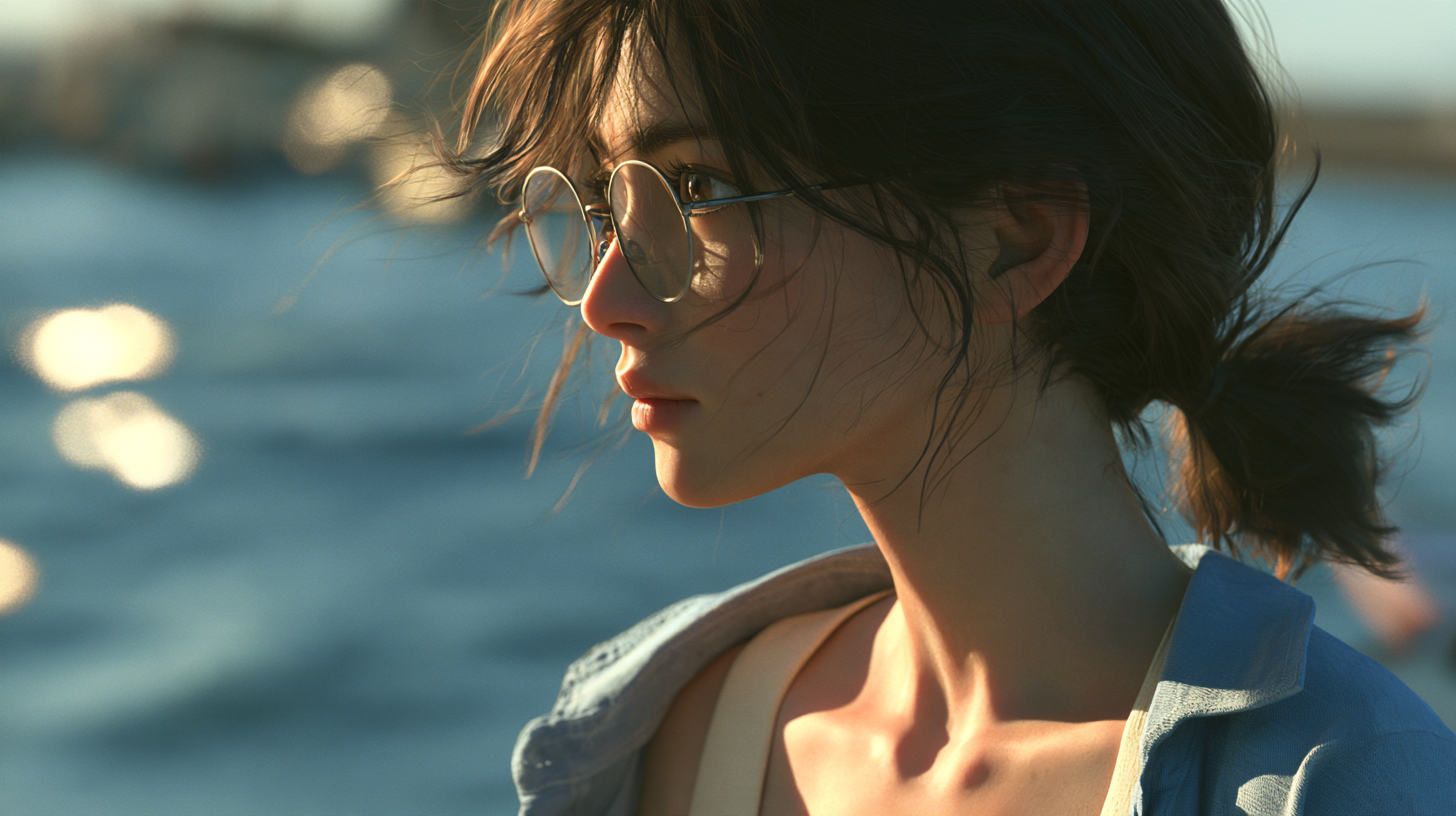
快速總覽: 雲端之上的花店、讓照片變成流動海灘、以及用三張視覺參考拼出的腕錶廣告:Grok Imagine Video 1.5 系列在 Kinovi 上透過五種標準版與 Lite 選項提供。本指南彙整五支既有影片、其輸入圖片、完整提示詞、規格與現行價格,協助你為自己的專案選定起點。
AI 影片專案往往從你已有的素材開始。一段文字構想需要被建構出世界;一張照片需要動起來;分開的產品、展示台與場景圖片,需要合成同一個鏡頭。
以下範例依此順序排列:標準 text-to-video、標準 image-to-video、標準 reference-to-video、Lite text-to-video,以及 Lite image-to-video。每一例說明不同的創作任務。場景、時長與輸入各不相同,因此這是展示,而非標準版與 Lite 的受控排名。
1. Grok Imagine Video 1.5 為工作流程帶來什麼?
xAI 的發布說明強調運動、物理與音訊方面的改進,包括更連貫的動作,以及更貼合畫面的音效、環境聲與對白。這些是供應商的描述;下列範例呈現的是在具體創作任務中實際發生的結果。官方公告。
在 Kinovi 上,這五種選項涵蓋三種輸入模式與兩個版本:
- Text-to-video: 從文字描述建構場景,無論是概念鏡頭、故事開場,或是宣傳構想。
- Image-to-video: 從既有圖片開始。標準版也接受結束幀;Lite 使用單一起始圖片。
- Reference-to-video: 使用多張圖片指定角色、產品或環境,同時組成新鏡頭。此模式目前在 Kinovi 透過標準版提供。
在標準版與 Lite 之間選擇,同時涉及價格與功能。Lite 的標示費率較低。多張視覺參考或結束幀這類需求,應先引導你選擇輸入模式,再考慮版本名稱。
2. 規格與現行價格
下列資訊已於 2026 年 10 月 21 日 對照 Kinovi 模型頁面核對。每個選項皆連結至其詳情頁。
| 選項 | 輸入 | 時長 | 輸出解析度 | 主要差異 |
|---|---|---|---|---|
| Standard text-to-video | 文字 | 1–15 秒 | 480p / 720p / 1080p | 由文字建構場景 |
| Standard image-to-video | 起始圖片;可選結束圖片 | 1–15 秒 | 480p / 720p / 1080p | 搭配結束圖片時最高 720p |
| Standard reference-to-video | 1–7 張參考圖片與文字 | 1–15 秒 | 480p / 720p | 結合視覺參考 |
| Lite text-to-video | 文字 | 1–15 秒 | 480p / 720p / 1080p | 標示費率較低 |
| Lite image-to-video | 一張起始圖片;可選文字 | 1–15 秒 | 480p / 720p / 1080p | 為單一圖片製作動畫 |
五種選項皆支援音軌,並公布 4,000 字元的提示詞上限。Text-to-video 與 reference-to-video 支援多種長寬比。單圖動畫依循輸入圖片與該選項的構圖行為;標準 image-to-video 的長寬比參數僅在提供結束圖片時使用。
相同的輸出解析度標籤,並不代表相同的算繪流程。xAI 現行文件將標準 text-to-video 與 image-to-video 描述為支援原生 1080p,而 Lite 則是透過將 720p 升頻達到 1080p。官方影片文件。
每秒產生影片的費率
下列金額皆為 每秒輸出影片的 USD,而非等待結果的秒數費用。
| 選項 | 480p | 720p | 1080p |
|---|---|---|---|
| Standard text-to-video | $0.0501 | $0.0878 | $0.1567 |
| Standard image-to-video | $0.0501 | $0.0878 | $0.1567 |
| Standard reference-to-video | $0.0501 | $0.0878 | Not supported |
| Lite text-to-video | $0.0125 | $0.0188 | $0.0878 |
| Lite image-to-video | $0.0125 | $0.0188 | $0.0878 |
舉例來說,以現行 720p 費率計算,八秒標準片段為 8 × $0.0878 = $0.7024;八秒 Lite 片段為 8 × $0.0188 = $0.1504。這些是示意計算,並非下方片段的實際帳單。價格關係會隨解析度改變,因此不應把單一節省比例套用到每個層級。
標準 text-to-video 與 image-to-video 頁面將其費率標示為 Preview test pricing。請在送出時核對畫面上顯示的金額,以及所選選項適用的失敗/退款條款。
Grok Imagine Video 1.5:各平台價格
此比較僅涵蓋標準 Grok Imagine Video 1.5,不含 Lite 與較舊模型。核對日期為 2026 年 10 月 21 日。解析度欄位顯示 每秒輸出影片的 USD,採用公開的用量型費率,不含會員換算、贈送點數或訂閱折扣。價格來源列於表格下方。
| 平台 | 480p | 720p | 1080p | 額外輸入圖片費用 | 價格範圍 |
|---|---|---|---|---|---|
| Kinovi | $0.0501 | $0.0878 | $0.1567 (text/image) | 頁面未分項列出;請於送出時核對 | Text 與 image;reference-to-video 最高 720p |
| Kie | ≈ $0.012 | ≈ $0.0225 | Public rate unverified | 頁面未分項列出;請於送出時核對 | 公布於 image-to-video 頁面的 1.5 Preview 費率 |
| Higgsfield | $0.08 | $0.14 | $0.25 | Separate charge unverified | 1.5 API 模型系列費率;見下方模式說明 |
| fal | $0.08 | $0.14 | $0.25 (text/image) | $0.01 per input image | Text 與 image;reference-to-video 最高 720p |
| Segmind | $0.108 | $0.189 | $0.3375 (text/image) | $0.0135 per input image | Text 與 image;reference-to-video 最高 720p |
| WaveSpeed | $0.08 | $0.14 | $0.25 (text/image) | Single-image mode: $0.01/request; reference mode: $0.01/image | Text 與 image;reference-to-video 最高 720p |
| xAI official | $0.08 | $0.14 | $0.25 (text/image) | $0.01 per input image | Text 與 image;reference-to-video 最高 720p |
價格來源: Kinovi · RunningHub · Kie · Higgsfield · fal · Segmind · WaveSpeed · xAI official
影響比較的條件:
- Kinovi: 標準 text-to-video 與 image-to-video 使用所列 Preview test pricing。參考模式費率亦可在 Kinovi reference-to-video 頁面 取得。未分項列出的圖片費用,不應假設為零。
- RunningHub: 目錄為
xai/grok-imagine-video-v1.5/.../stable官方穩定路由列出 $0.08/s,沒有依解析度區分的費率。該金額不能套用到每個層級。另有xai/grok-imagine-v1.5/...經濟路由顯示 $0.03/s;其解析度定價與對應能力仍未核實,因此另行註記,而非記入層級價格。 - Kie: 頁面標示
grok-imagine-video-1-5-preview,並為 480p 與 720p 列出 2.4 與 4.5 credits/s。表格採用頁面上的約略美元等值,不含贈送點數。雖然 1080p 出現為選項,但其價格未經驗證;不替換其他模型的費率。請分別核對 Preview 標示與各平台的服務條件。 - Higgsfield: 這些是公開 API 模型系列費率,而非創作者訂閱換算。頁面以 480p/720p 的一秒片段與 1080p 的十五秒片段說明定價。這並不代表每種時長、參考模式或額外輸入都適用相同條件。
- 模式與額外收費: 參考模式的解析度上限與圖片費用記載於 fal reference-to-video、Segmind reference-to-video 與 WaveSpeed reference-to-video 頁面。Segmind text-to-video 定價頁 的表格與說明文字金額不一致;本比較採用明確的定價表。送出前請確認收費。
估算總額時,將已揭露的輸入費用加到影片產生費用上。例如,xAI 官方對八秒、720p、含一張輸入圖片的片段的價格為 8 × $0.14 + $0.01 = $1.13。純文字產生沒有輸入圖片費用。「Unverified」不代表「不支援」或「免費」。這些數字是預算參考;送出時顯示的價格與服務條件優先。
3. 五個範例,依模型順序
每個範例包含所提供的影片、適用時的輸入圖片,以及原始英文提示詞。提示詞中的對白與時間指示描述的是預期輸出;它們並非產生音訊的逐字逐句轉錄。視覺評論依據抽樣影格,檔案細節來自媒體中繼資料。未進行逐字語音或唇形同步量測。
| 順序 | 選項 | 範例 | 約略檔案時長 | 檔案尺寸 |
|---|---|---|---|---|
| 1 | Standard text-to-video | 雲端之上的花店 | 15 seconds | 848 × 480 |
| 2 | Standard image-to-video | 走進海灘照片 | 6 seconds | 848 × 480 |
| 3 | Standard reference-to-video | 腕錶廣告 | 8 seconds | 752 × 416 |
| 4 | Lite text-to-video | 月亮洗衣店 | 8 seconds | 848 × 480 |
| 5 | Lite image-to-video | 時尚肖像 | 15 seconds | 736 × 400 |
這些是收到檔案的尺寸,並非模型的最大能力,也不是所有原始送出設定的證明。五個檔案皆為 24 fps,並含音軌。
1. Standard text-to-video:雲端之上的花店
沒有起始圖片或參考素材。構想以文字開始:藍調時刻的高樓露台、雲端之上的花店、溫暖的實用燈光,以及正在插花的花藝師。提示詞也指定了對鏡頭的台詞、發光的花,以及最後揭示更廣場景的運鏡。
Mode: Standard text-to-video
Input: 僅文字;無參考圖片。
File: 約 15 秒 · 848 × 480 · 24 fps · 含音軌
Example video
Original generation prompt
Create a 15-second, 16:9 cinematic promotional film with photorealistic materials and one continuous shot. A boutique flower shop occupies a high-rise terrace above a sea of clouds at blue hour. Small amber lights illuminate a wooden workbench, plain ceramic vases, and ivory flowers. Soft foreground petals partly conceal the view. Only a hint of the clouds and distant city lights is visible at first; save the wide reveal for the ending.

The florist is an adult East Asian woman around 28, with short dark hair, a smoky-gray linen apron, and a cream shirt. Her manner is calm and confident. From 0 to 2 seconds, the camera slides gently past the foreground petals. She places one ivory flower into a vase. Its center begins to emit a subtle warm glow, no brighter than a small night-light, casting believable light on her fingertips. The flower retains its physical botanical shape; it does not dissolve or become particles.

From 2 to 12.5 seconds, settle into a steady eye-level medium shot with her face and mouth clearly visible. Looking into the lens, she speaks in warm, clear English: “This flower shop above the clouds began as words. I brought it to life with Grok one point five text-to-video on Kinovi.” She briefly glances at the flower, then returns her gaze to the camera. All speech comes directly from the visible woman, with accurate lip sync and natural pauses, not from an off-screen narrator.

From 12.5 to 15 seconds, after the dialogue, slowly pull back to reveal the cloud-filled skyline beyond the terrace. Keep the florist and shop within the composition and settle on a quiet, complete final image.

Soft side lighting, realistic skin, tactile wood and linen, restrained deep-blue and warm-gold color contrast. The glowing flower center is the only close-range magical effect. Clear voice, a delicate stem-against-ceramic sound, faint high-altitude wind, and a very quiet atmospheric music bed beneath the dialogue. No subtitles, titles, readable signs, logos, or added text. Avoid frantic cuts, exaggerated acting, heavy bloom, floating particles, and complicated hand gestures.
輸出呈現什麼
開場時雲海景觀已可見。花藝師將發光的花放入花瓶,在中段面向鏡頭,並在鏡頭後拉以揭示更多工作台與店面時仍留在畫面中。冷藍環境與溫暖的花建立起清楚的視覺焦點。
結果並未字面遵循每個細節。提示詞把寬幅雲景揭示留給結尾,但背景大部分從一開始就看得見。光暈也延伸到花瓣,而非留在花心。整體創作構想有傳達出來,但在揭示與光線指示上有偏差。
此做法適合何處
對宣傳概念、想像場景與品牌故事鏡頭而言是實用方向。將提示詞整理成場景、動作、對白與最終構圖,會讓結果更容易評估。
2. Standard image-to-video:走進照片裡的海灘
此範例提供清楚的起點與目的地:起始圖中站在畫架旁的攝影師,以及結束圖中的日落海灘。任務是連接這些空間、讓照片內的海浪動起來,並把鏡頭帶入海岸場景。
Mode: Standard image-to-video
Input: 下方顯示所提供的影格對:工作室肖像作為起始幀,日落海岸作為結束幀。
File: 約 6 秒 · 848 × 480 · 24 fps · 含音軌
Example video
Input images
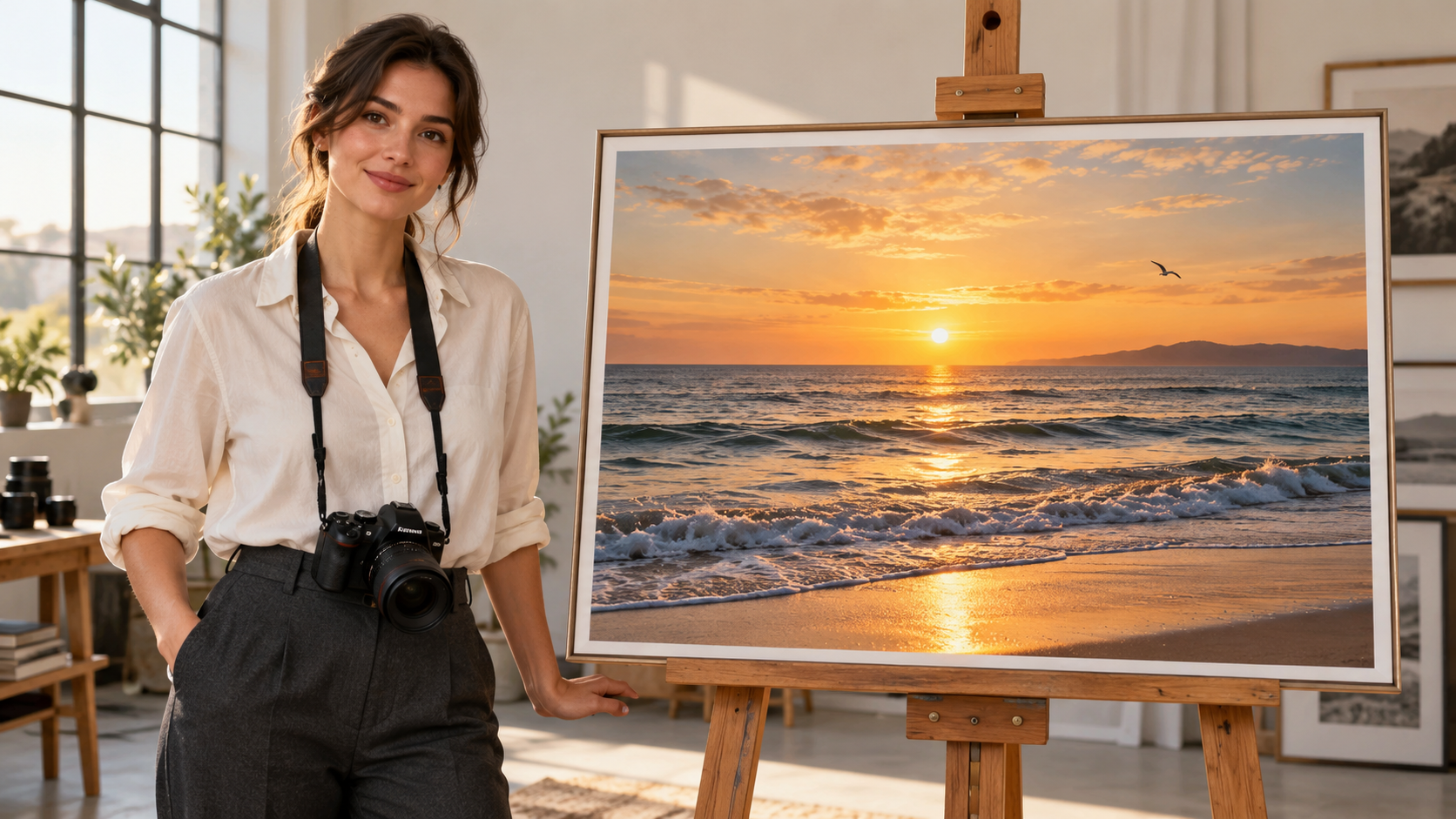
Starting frame: photographer and framed seascape

Ending frame: sunset coast
Original generation prompt
Photorealistic cinematic style, set in a modern photography studio. A young adult female photographer stands beside an easel displaying a photograph of a beach at sunset. She looks at the photograph, then turns toward the camera and smiles. She speaks in English:
“Let’s bring this photo to life! I made this on Kinovi using the grok-imagine-video-1.5 image-to-video model.”
As she gently gestures toward the photograph, the camera slowly pushes in. The waves within the photograph begin to roll naturally, sunlight shimmers across the water, and a seagull flies through the scene. The photograph’s frame gradually moves out of view until the moving seaside scene fills the entire screen. Natural gestures, accurate lip synchronization with the English dialogue, soft lighting, and a seamless transition. Clear voice audio accompanied by gentle ocean sounds. No added subtitles.
輸出呈現什麼
在約六秒的輸出中,攝影師微笑、嘴部動作,並朝照片比劃。鏡頭靠近畫框時海浪改變;結尾時工作室與相框已離開畫面,海邊填滿螢幕。兩張所提供構圖之間的轉場在結果中可見。
此片段說明影格到影格的視覺連續性。提示詞也要求一句英語台詞,但僅有嘴部動作並不能證明整句已說完或以字對字同步。以如此短的時長,對白是否完成應另行檢查。
此做法適合何處
對照片動畫、旅遊影像,以及進入畫面世界的轉場是實用做法。定義兩幀之間的預期連結,並為運鏡與語音都留足時間。
3. Standard reference-to-video:結合腕錶、底座與室內空間
Reference-to-video 可將分開的產品、展示與場景素材帶入同一場景。此腕錶概念為每張圖片指派角色,然後要求錶盤特寫、繞殼視角,以及更寬的收尾鏡頭。
Mode: Standard reference-to-video
Input: 依此順序上傳:IMAGE_0 腕錶、IMAGE_1 大理石底座、IMAGE_2 室內。提示詞標籤對應同一順序。
File: 約 8 秒 · 752 × 416 · 24 fps · 含音軌
Example video
Input images
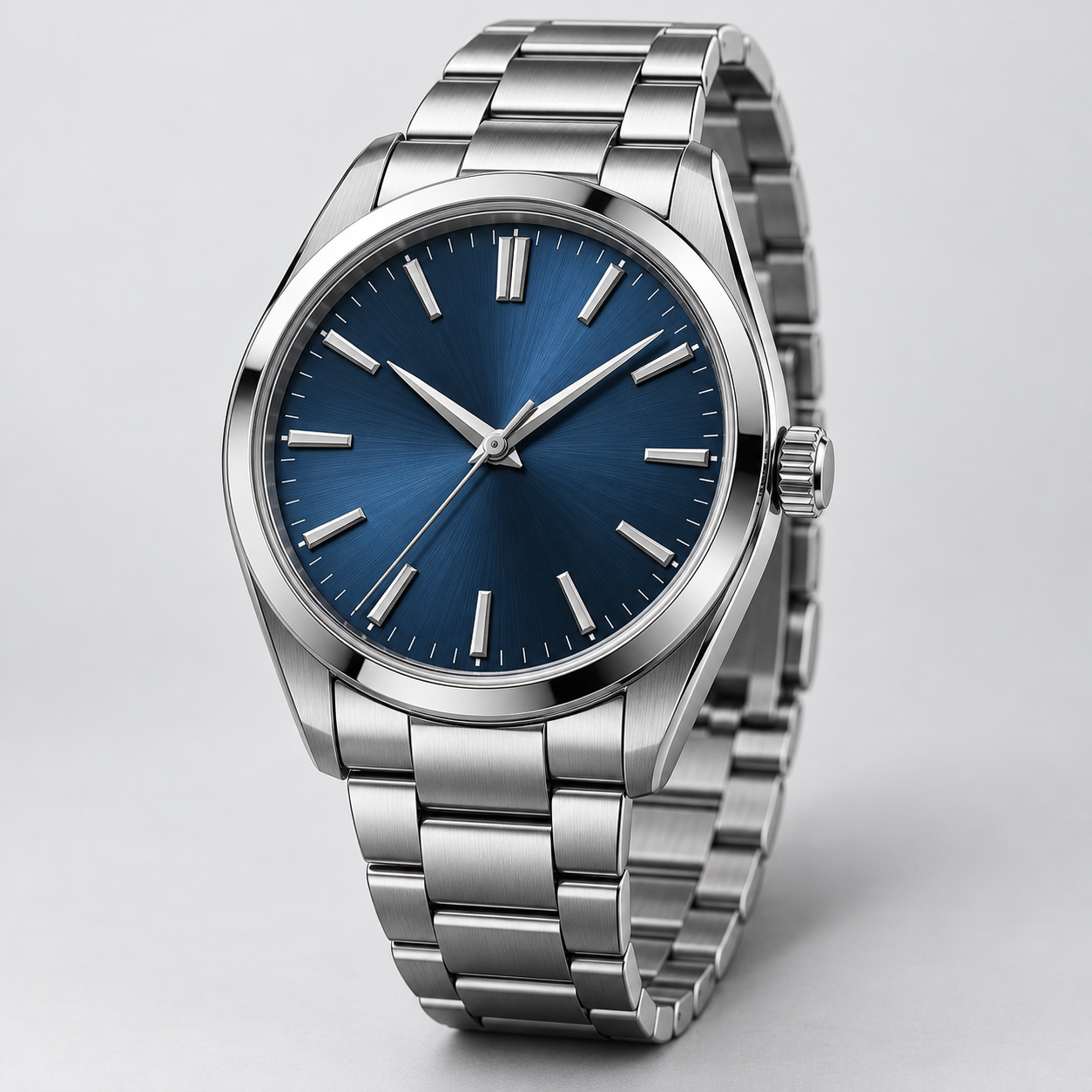
IMAGE_0: silver case and blue dial
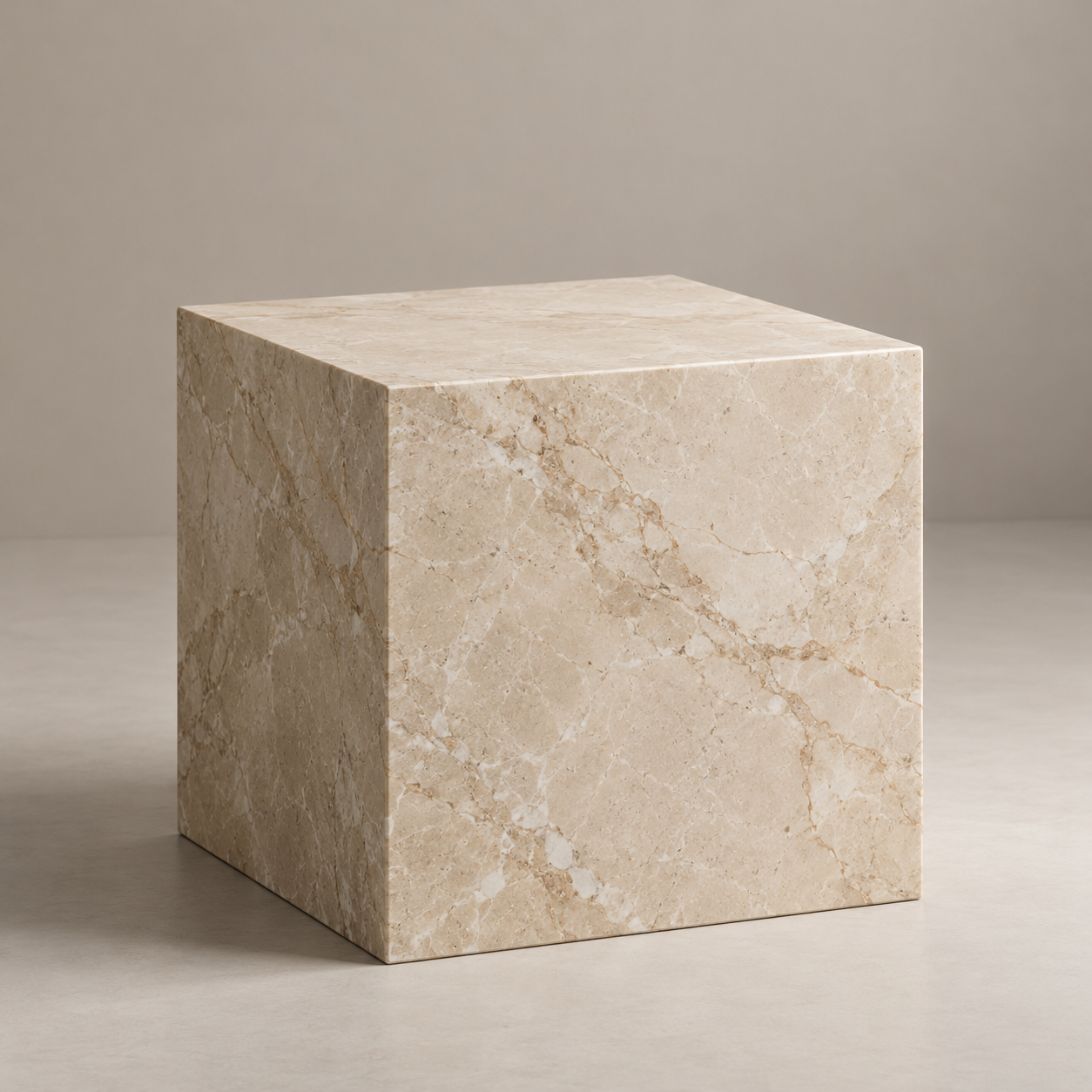
IMAGE_1: beige marble pedestal
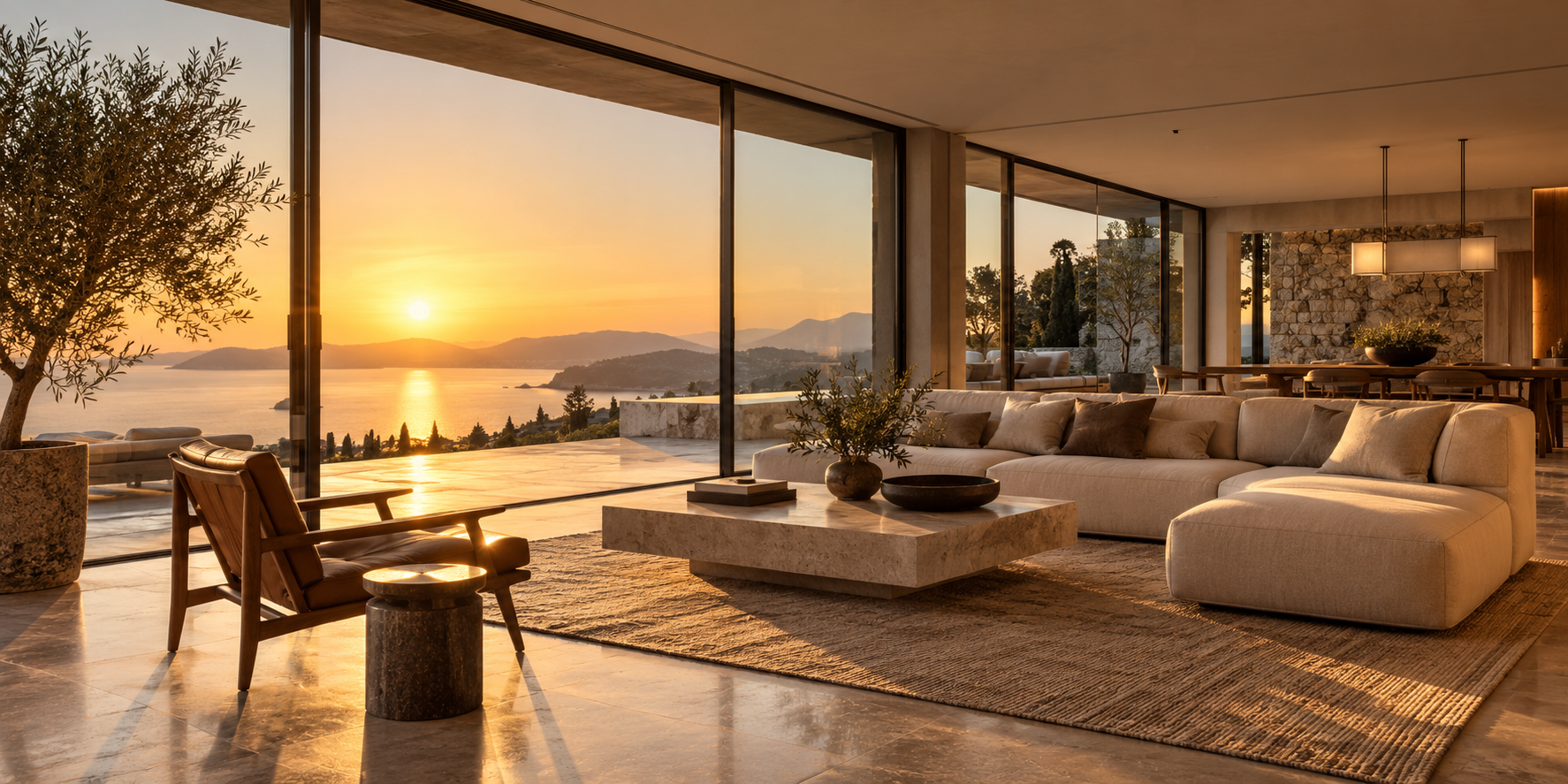
IMAGE_2: golden-hour interior
Original generation prompt
Create an 8-second luxury watch commercial by combining three reference images.

<IMAGE_0> is the exact watch product reference. Preserve its silver metal case, blue dial, hands, hour markers, crown placement and bracelet design.
<IMAGE_1> defines the beige marble pedestal and its surface texture.
<IMAGE_2> defines the warm golden-hour interior environment and lighting.

Place the exact watch from <IMAGE_0> upright on the marble pedestal from <IMAGE_1>, inside the setting from <IMAGE_2>.

0–2s: Extreme close-up of the watch dial. Fine metallic reflections reveal the watch's craftsmanship.

2–5s: The camera performs a slow cinematic orbit around the watch, revealing the case thickness, crown and metallic bracelet without altering their original geometry.

5–8s: The camera pulls back to reveal the watch resting on the marble pedestal, with warm sunlight and realistic shadows across the surface.

Maintain exact watch identity and material details throughout. Physically accurate metal reflections, consistent dial markings, realistic contact shadows and correct perspective.

Audio: Subtle mechanical ticking, luxurious ambient music and a gentle final musical accent.

No added logos, no invented text, no product redesign. 16:9.
輸出呈現什麼
輸出由藍色錶盤近景開場,揭示錶冠、錶殼與錶帶,再後拉顯示腕錶立於大理石表面。三大要素——產品、展示台與溫暖室內——皆有呈現。
然而產品並非精確複製品。所提供的腕錶沒有日期窗,產生的特寫卻引入了日期窗/放大鏡特徵。此範例展示了多圖合成與廣告鏡頭設計;它並不確立完美的產品保真度。錶盤細節、刻度、錶冠位置與錶帶結構,在用於產品廣告前需要另行檢查。
此做法適合何處
對產品陳設提案與廣告概念有用。為每張參考指派明確角色,並在把片段視為忠實產品展示前檢視產生的產品細節。
4. Lite text-to-video:凌晨兩點洗月亮
太空人、洗衣店與月亮共享同一個場景。角色幾乎靜止,而鏡頭、滾筒與水在超現實焦點周圍提供運動。
Mode: Lite text-to-video
Input: 僅文字;無參考圖片。
File: 約 8 秒 · 848 × 480 · 24 fps · 含音軌
Example video
Original generation prompt
An 8-second cinematic shot inside a quiet, slightly worn neighborhood laundromat at 2 a.m. Rain streaks the storefront windows. A single astronaut sits motionless on a plastic chair, holding an empty laundry basket.

Inside the oversized circular window of the central washing machine, a luminous three-dimensional moon slowly rotates like a heavy object in a wash cycle. Its craters remain clearly visible. A thin ring of water slides around the bottom of the drum, catching silver moonlight.

The camera makes one slow, deliberate push toward the machine. Its warm interior glow gently illuminates the astronaut's visor and the scratched tile floor, contrasting with the cool fluorescent ceiling lights.

Treat this impossible scene with understated photographic realism: restrained colors, tactile surfaces, subtle film grain, controlled highlights. The moon stays inside the drum throughout. One continuous shot, no cuts.

Audio: a low mechanical hum, water softly sloshing, distant rain. No dialogue or music.
輸出呈現什麼
鏡頭靠近時,太空人坐著拿著籃子。明亮的月亮留在超大滾筒內,其暖光反射在濕地上。構圖清楚傳達「等待月亮洗完」的構想。
輸出也加入水從滾筒溢出並積在地面,超出提示詞要求的機內細水環。月亮表面的變化本身不足以驗證物理一致的三維旋轉。它確立了視覺構想,同時也顯示模型可能會發揮細節。
此做法適合何處
可作為預算導向的視覺發想、氛圍鏡頭與社群短片的探索方向。此場景與標準 text-to-video 範例不同,因此不是兩者品質的受控比較。
5. Lite image-to-video:讓時尚肖像有生命感
所選起始參考與輸出的象牙白套裝與露台場景相符。人物、服裝、椅子、牆面與薄紗簾已定義,因此影片聚焦於臉部細微動作、頭髮與布料。
Mode: Lite image-to-video
Input: 一張起始圖片:露台上穿象牙白套裝的坐姿女性。
File: 約 15 秒 · 736 × 400 · 24 fps · 含音軌
Example video
Input images
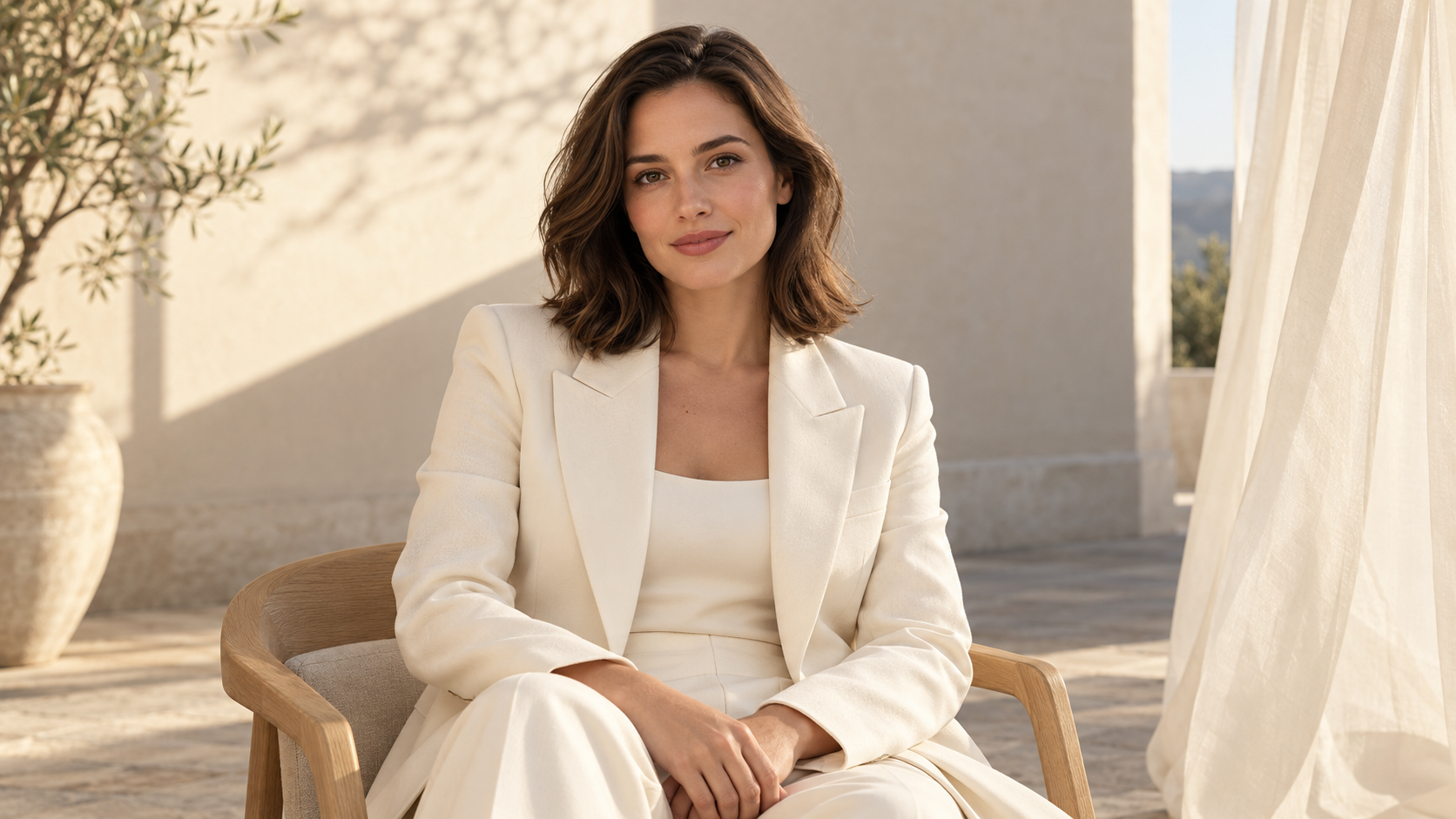
Starting frame: ivory-suit terrace portrait
Original generation prompt
Use the uploaded portrait as the first frame of a 15-second, 16:9 premium fashion talking-portrait film. Preserve the adult woman’s identity, hairstyle, ivory suit, seated pose, chair, architectural terrace, warm-white wall, sheer curtain, and original composition. Use a locked, eye-level medium shot. Do not change her outfit, location, or identity.

From 0 to 2 seconds, begin naturally from the input image. A gentle breeze moves a few strands of hair beside her ear and the translucent ivory curtain at the side of the frame. Keep the curtain near the image edge, never over her face. She blinks softly, with subtle, natural breathing through her shoulders.

From 2 to 12.5 seconds, she looks into the lens and speaks in composed, confident English: “A portrait can have a cinematic sense of life. I made this with Grok one point five Lite image-to-video on Kinovi.” Her delivery feels like a model sharing a creative moment after a shoot, not a loud sales pitch. Use clear diction and natural pauses. The visible woman speaks the entire line with accurate lip sync. Keep her hands relaxed and use only small eye and head movements; no waving.

From 12.5 to 15 seconds, after the dialogue, she briefly looks toward the sunlight at the side and returns to the camera with a faint smile. The hair and curtain continue moving gently. Hold the camera still and end on the complete fashion-portrait composition.

Champagne-colored side light, soft geometric shadows, realistic skin and suit fabric, and layered, restrained warm whites. No excessive beauty filtering, plastic skin, or strong lens flares. Clear speech, gentle wind, and a very quiet original sparse-piano bed beneath the voice. No off-screen narration, subtitles, magazine cover text, logos, or added on-screen lettering. Maintain stable facial features and clothing. No large head turns or curtain passing through the body.
輸出呈現什麼
約 15 秒的片段始終以坐姿主體為中心。象牙白套裝、椅子與暖白場景在抽樣影格中仍可辨識。她的嘴部與表情改變,窗簾移動,結尾回到較安靜的表情。
此片段說明對既有肖像的細微動畫。可辨識的服裝與環境並不確立影格完美的身分保存。對白是否完成、發音與影音同步也需要另行播放檢查。
此做法適合何處
對個人介紹、時尚肖像動畫與克制的對鏡說話內容是實用設定。清楚的起始圖片與少量動作,會讓預期結果更容易界定。
4. 在 Kinovi 開始創作
- 選擇輸入模式。 有構想用 text-to-video,有既有構圖用 image-to-video,有多個視覺素材用 reference-to-video。
- 準備素材。 讓起始圖片清楚、結束圖片有意圖。參考圖請保持上傳順序一致,並在提示詞中為每張圖片指派角色。
- 設定時長與輸出品質。 為語音與運鏡都留時間。核對解析度、音訊、支援的構圖設定與現行價格。
- 檢查專案在意的重點。 對人物檢查臉、手與唇形;對產品檢查幾何、文字與材質;對轉場檢查開頭、結尾與中間運動。
開啟產生選項
- Standard text-to-video
- Standard image-to-video
- Standard reference-to-video
- Lite text-to-video
- Lite image-to-video
5. 重點:先選工作流程,再評估版本
五支影片從不同類型的素材出發。花店由文字建構場景;工作室片段連接兩種構圖;腕錶廣告結合參考;月亮洗衣店以 Lite 較低的標示費率探索超現實概念;時尚肖像則延續既有角色與場景。
從任務開始。若需要多張參考或結束幀,請查看對應的標準選項。若是文字構想或單圖動畫,請把 Lite 納入試驗。 再比較同一任務的輸出,判斷細節、畫面品質與成本是否符合需求。
有說服力的氛圍不代表每條指示都被遵循,好看的廣告也不保證產品精確。實用的工作流程會同時為創意產生與發布前的仔細檢查留空間。
6. 常見問題
1. 這五種是完全分開的模型嗎?
更實用的理解方式是兩個版本——標準與 Lite——搭配不同輸入模式。Kinovi 將它們列為分開選項,方便創作者依任務選擇。
2. Image-to-video 與 reference-to-video 有何不同?
Image-to-video 從特定構圖出發;標準版也可接受結束幀。Reference-to-video 用圖片定義主體、產品或環境,不會自動把第一張參考當成固定開場幀。一個是延展構圖;另一個是結合視覺來源。
3. 影片可以包含語音與環境音嗎?
五種選項皆開放音訊產生。提示詞可要求對白、環境聲、音效與音樂,但語音是否完成、發音與同步應在輸出中檢查。較長的台詞需要足夠時長。
4. 所有模式都支援 1080p 與起始/結束幀嗎?
否。標準與 Lite 的 text-to-video 與 image-to-video 列出 1080p,而 reference-to-video 最高為 720p。標準 image-to-video 在使用結束幀時限於 720p。Lite image-to-video 接受單一起始圖片,其 1080p 輸出為升頻結果。
5. Lite 比標準更快,或品質相當嗎?
這些範例不含可比較的產生時間紀錄或配對任務,因此不確立速度或品質對等。本文也不將 Lite 等同於 xAI 公告中的 Fast 版本。
6. 如何估算成本?
將所選選項與解析度的現行每秒費率乘以輸出時長。核對適用的重試、失敗與促銷條款。僅有範例影片檔案,並不能確立其產生時的收費金額。
7. 參考圖能保證產品不變嗎?
此範例不支持該保證。腕錶輸出加入了參考中沒有的日期窗/放大鏡特徵。用於產品行銷時,核准前請檢視錶盤、文字、幾何與結構細節。
8. 提示詞的時間指示會精確到秒嗎?
時間範圍傳達節奏,但不是精確剪輯時間軸。實際產生設定決定可用時長,模型也可能提早揭示背景或發揮某個效果。請優先確保必要的語音與動作。
來源與核實說明
平台規格與費率已於 2026 年 10 月 21 日 核對。模型指派、提示詞與輸入圖片依所提供的案例素材;輸出時長與尺寸自檔案讀取。原始影片未經剪輯、配音或為本文加字幕。範例用於說明工作流程,而非建立整體模型排名。
相關文章
More to try
相關模型
ByteDance · video model
Seedance 2.0
Next-generation AI video model by ByteDance. Combines Fast and Pro modes for high-quality video generation.
$0.0707/s
Alibaba · video model
HappyHorse 1.0
HappyHorse 1.0 is Alibaba's high-quality video generation model on Kinovi, supporting text-to-video, image-to-video, reference-image video, and video editing modes.
$0.0801/s
ByteDance · video model
Seedance 2.5
Seedance 2.5 是字節跳動的次世代 AI 視頻模型,支持最多 30 秒的生成、多模態參考以及精確的局部編輯。
$0.1197/s