Edit Any Image with AI in Seconds
Kinovi’s AI image editor lets you remove objects, swap backgrounds, restyle, and enhance photos with simple text prompts. Professional results, no design skills needed.
Create
Idle
Result
Submit a request to watch this generation complete here.
No response yet
Submit a request to watch this generation complete here. Past runs live in History.
What You Can Create
Kinovi's AI image editor turns natural language prompts into professional photo edits. You can:
- Remove objects – erase unwanted people, cars, text, or clutter from any image.
- Swap backgrounds – place your subject in a beach setting, cityscape, or any scene you describe.
- Restyle images – transform photos into watercolor, oil painting, cyberpunk, minimalist, or any visual style.
- Enhance details – improve sharpness, lighting, and resolution.
- Recolor elements – change colors of clothing, backgrounds, or objects with a simple phrase.
- Extend images – expand photos beyond their original frame with AI-generated content.
How It Works
- Add your image – upload a photo or generate one with Kinovi's text-to-image tool.
- Describe the edit – type what you want to change, such as "remove the sign on the wall" or "make the background snowy."
- Get instant results – Kinovi's AI processes the request and returns an edited image in seconds.
- Refine and download – adjust your prompt and repeat until it's perfect, then save the final result.
No layers, no masks, no learning curve. Just write what you want.
Use Cases
- Content creators – clean up backgrounds, fix blemishes, and add eye-catching style to social posts.
- E-commerce sellers – create consistent product shots, remove distracting backgrounds, and adapt images for marketplace listings.
- Marketing teams – generate campaign variations by changing scenes, colors, and artistic styles without a photoshoot.
- Photographers and hobbyists – restyle personal photos, restore old pictures, or experiment with creative edits.
Why Use Kinovi
- State-of-the-art models – access top image models like GPT Image 2, NanoBanana 2, and Seedream 5 Pro for high-quality edits.
- No design skills needed – describe the result in plain English and let the AI do the work.
- Fast and easy – get edits in seconds, then iterate quickly to explore creative directions.
- All-in-one creative suite – combine with Kinovi's text-to-image tool, AI product photo tool, and avatar generator to produce complete visual assets.
Example Gallery
See what is possible with Kinovi's AI image editor.
Original travel photo:
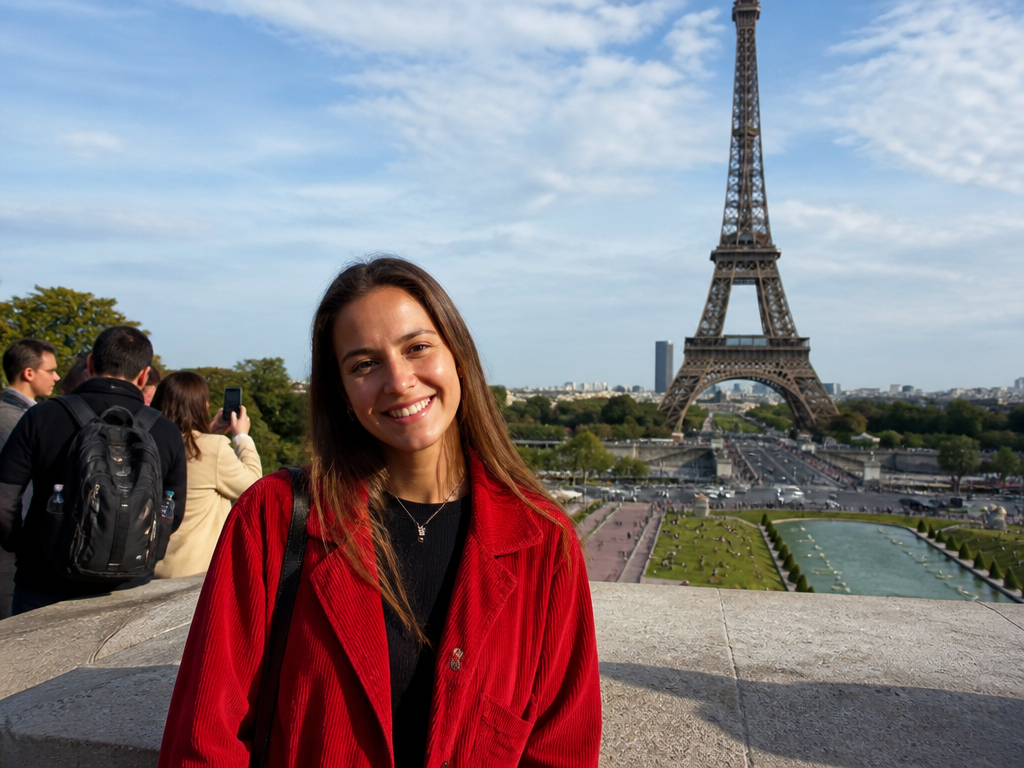
Original travel photo
Same photo with a tropical beach background generated by AI:
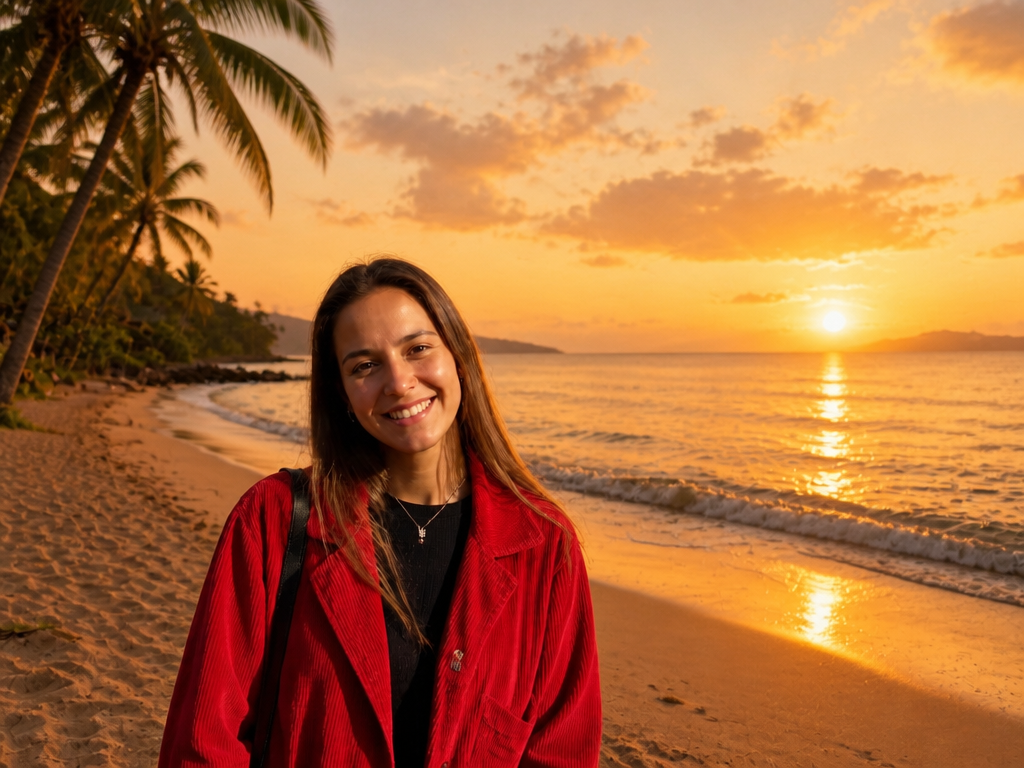
Background replaced by AI
Original product photo:
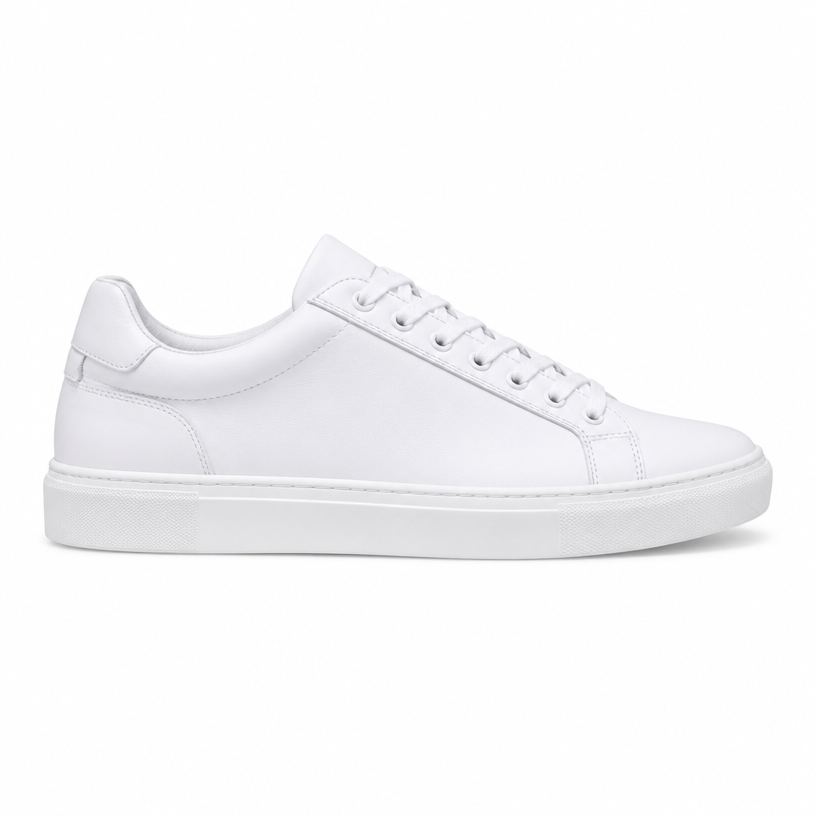
Original product shot
Product photo transformed into a watercolor illustration:
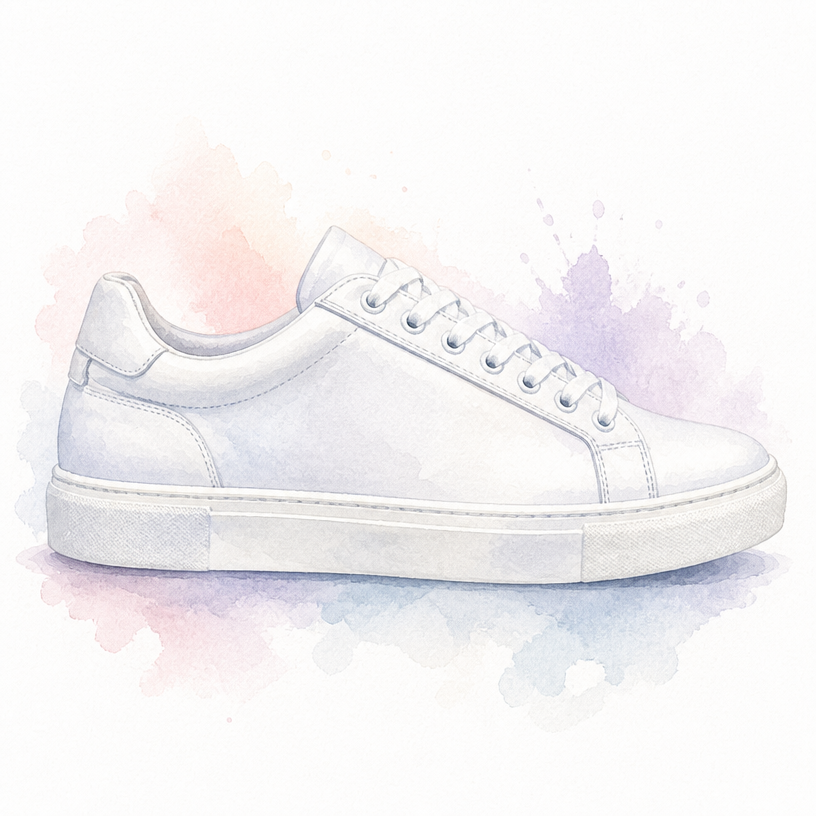
Watercolor style applied by AI
FAQ
Do I need design skills to use the AI image editor?
No. You can describe the edit in natural language, and the AI will handle the technical work.
What kinds of edits can I make?
You can remove objects, swap backgrounds, restyle images, enhance quality, recolor elements, and more. The range of possibilities is driven by your text prompt.
Can I edit my own photos?
Yes—upload an image and apply any edit you can describe.
Is the AI image editor free to try?
Kinovi offers a free trial so you can experience the editor without risk.
How long does an edit take?
Most edits complete in seconds, depending on image complexity and resolution.
Related Tools and Models
Explore more creation possibilities: