AI Virtual Try-On: See Any Outfit on You Instantly
Kinovi's free AI virtual try-on lets you upload a selfie or model photo, choose any garment, and preview ultra-realistic outfit changes in seconds. No technical skills, no sign-up required—just upload, pick, and preview.
Create
Idle
Result
Submit a request to watch this generation complete here.
No response yet
Submit a request to watch this generation complete here. Past runs live in History.
Kinovi's AI virtual try-on makes it possible to see any outfit on yourself, a friend, or a professional model in seconds. Whether you're shopping online, styling content, or creating product photos, you can experiment with clothes without a dressing room or a photo shoot—all from a simple image upload.
What You Can Create
You can generate realistic outfit previews that preserve your face, pose, and body shape while swapping in new clothing. Use Kinovi to visualize dresses, jackets, tops, jeans, and more on your own photos, or create entire fashion looks on AI-generated models. The result is a natural, photo-like image that's perfect for personal shopping decisions, social posts, fashion design, and e-commerce listings.
How It Works
Start by uploading a clear photo of yourself or selecting one of Kinovi's built-in AI models. Then choose the garment or outfit you want to try—either by uploading a clothing photo or describing the style you have in mind. Kinovi's image AI analyzes the body position, lighting, and fabric, then generates a new image with the outfit realistically applied. In under a minute, you get a high-resolution result you can download and share.
Use Cases
- Online Shopping: See how clothes fit your body type before you buy, and compare different sizes or colors within seconds.
- E-commerce Product Shots: Showcase your clothing line on diverse models without staging professional photoshoots.
- Personal Styling: Mix and match outfits from your wardrobe to plan looks for work, events, or travel.
- Fashion Content Creation: Generate consistent model photos in different outfits for Instagram, TikTok, or blogs.
- Design Feedback: Quickly visualize design changes on your own garment prototypes.
Why Use Kinovi
Kinovi stands out for its realistic fabric rendering, accurate body mapping, and ability to preserve your natural features in every try-on result. You get high-quality images without any design or editing skills, and there's no need to sign up for basic creations. With a free tier, fast generation, and support for both real photos and AI-generated models, it's the easiest way to experiment with fashion virtually.
Example Gallery
Here's a before-and-after look at what Kinovi's AI virtual try-on can do with a single model photo.
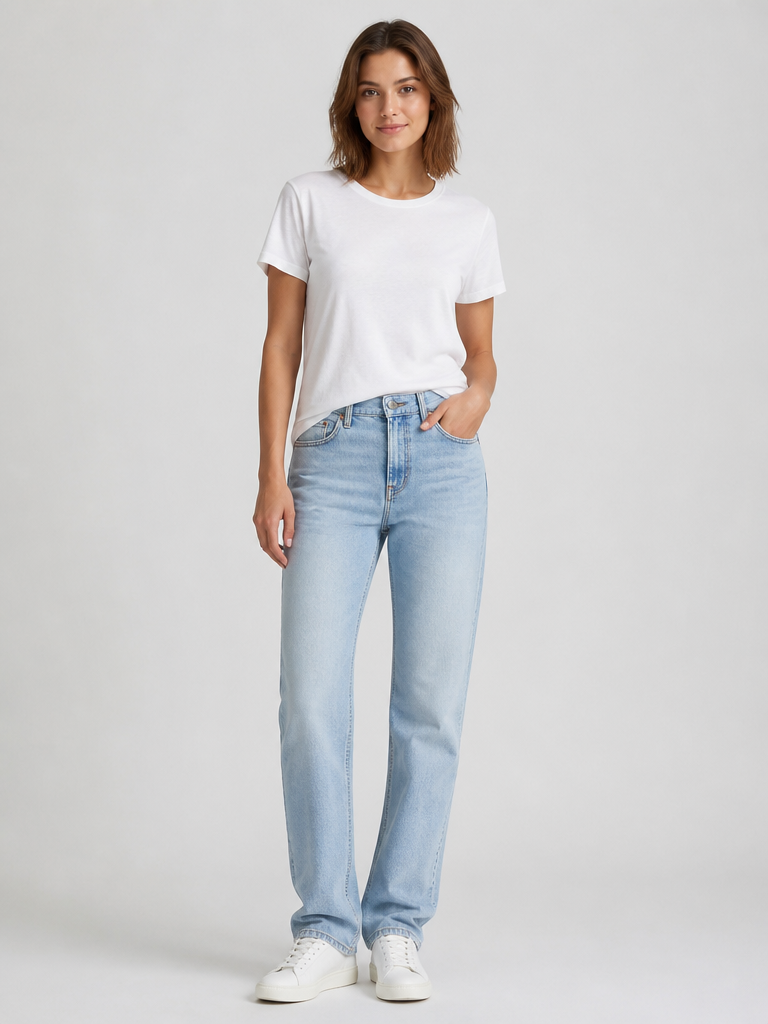
Original model photo before virtual try-on.
Original AI-generated model before the virtual try-on.
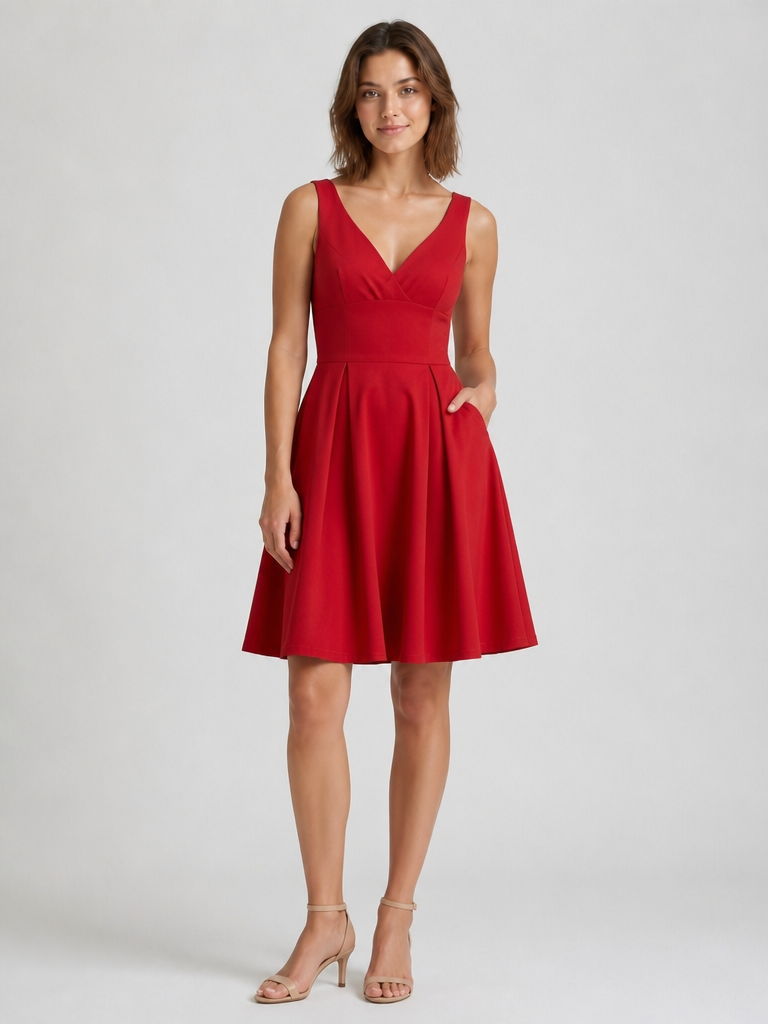
AI virtual try-on result: red cocktail dress.
After AI virtual try-on: the same model in an elegant red cocktail dress.
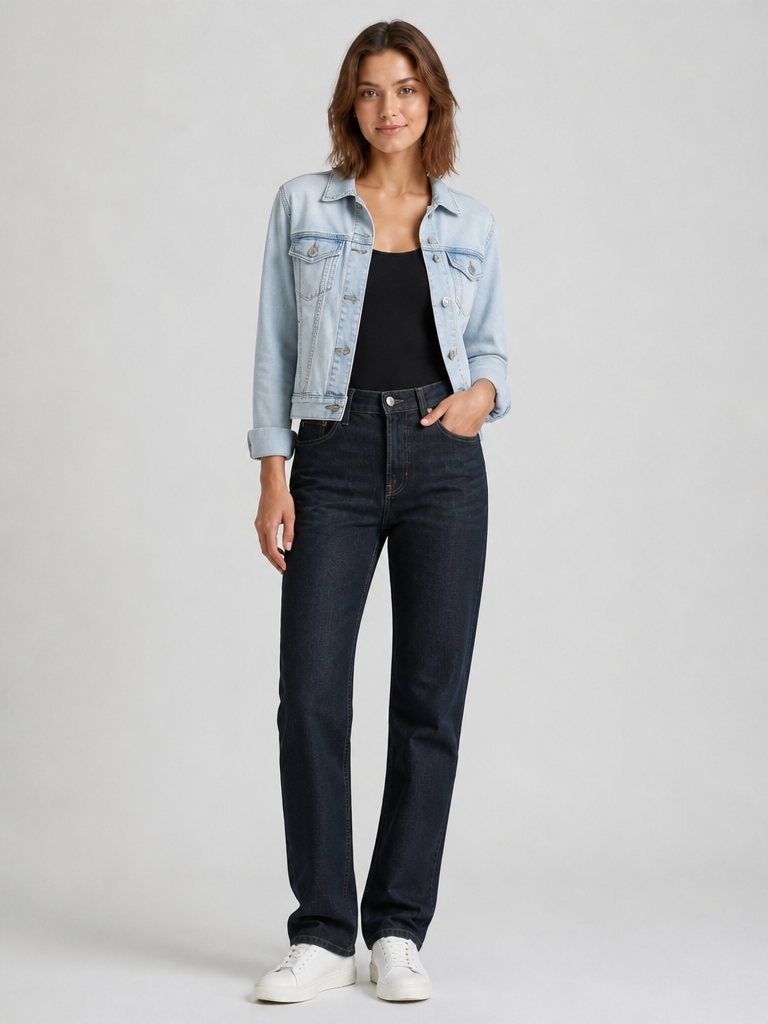
AI virtual try-on result: denim jacket and jeans.
After AI virtual try-on: the same model in a denim jacket and dark jeans.
FAQ
Is Kinovi's AI virtual try-on free?
Yes, Kinovi offers free options to generate virtual try-on images without requiring a sign-up. You can create realistic outfit changes with just a few clicks.
Do I need to upload a real photo of myself?
No. You can upload your own photo or choose from AI-generated models to try outfits on. Your original photo is never shared publicly.
What items can I try on with the AI?
You can try on a wide range of garments including dresses, jackets, tops, and jeans. The same process can also be adapted for accessories, glasses, and custom product photography.
How realistic will the try-on look?
The AI preserves your face, pose, and lighting while mapping the new garment naturally onto the body, producing photorealistic images that are hard to distinguish from real photos.
Related Tools and Models
- Text to Image – create custom model photos from scratch
- AI Image Editor – refine and enhance your try-on results
- AI Avatar Generator – build digital fashion avatars
- AI Product Photo – create product-focused fashion shots
- GPT Image 2 – generate high-quality fashion imagery
- Seedream 5 Pro – ultra-realistic clothing renders