What Is Seedance 2.5 4K?
Seedance 2.5 4K is ByteDance's native 4K tier of Seedance 2.5 — shown at FORCE on June 23, 2026 and opened to invited studios on October 23 with 10-bit color and retrained face detail. Kinovi runs the same model today at up to 1080p.
Seedance 2.5 4K is the top tier of ByteDance's Seedance 2.5 video model: the same 4–30 second, 50-reference, audio-in-the-same-pass generator, rendered at a native 4K frame instead of 1080p. ByteDance set the 4K target at its FORCE conference on June 23, 2026, shipped the callable API at 1080p through July and August, and opened the 4K tier to invited studios on October 23, 2026.
This page covers what changed, when it changed, and what it means if you are generating video on Kinovi today — where the same model runs at 480p, 720p and 1080p.
At a glance: native 4K, 10-bit color, retrained faces and fine detail, 4–30 seconds, 50 multimodal references, audio in the same pass, 480p draft → 4K master. No public model ID, no published price.
Release timeline
Seedance 2.5 did not arrive all at once. The 4K capability was announced first and shipped last.
| Date | What happened |
|---|---|
| June 23, 2026 | ByteDance introduces Seedance 2.5 at FORCE as a 30-second, 4K, 50-reference system |
| July 13, 2026 | API opens to top enterprise accounts |
| July 16, 2026 | API opens to developers — capped at 1080p |
| July 31, 2026 | Dreamina web and app get Seedance 2.5 |
| August 7, 2026 | Commercial API generally available, still 1080p |
| September 2026 | 480p draft mode ships on the public API |
| October 23, 2026 | 4K tier opens in invited enterprise trials |
| October 27, 2026 | BytePlus publishes the 4K positioning article, "Higher Ceiling, Built for the Big Screen" |
The gap between June and October is the story. The model shown on stage could hold 4K; the model developers could call could not. For four months, "Seedance 2.5" meant 1080p output, and every public price list and integration was built around that ceiling.
What the 4K tier changes
Five things separate the 4K tier from the 1080p API. Four are quality claims from ByteDance; one is a workflow.
Native 4K, not an upscale
The 4K tier generates at 4K. It is a different render target, not a 1080p clip pushed through a super-resolution pass. That distinction matters for exactly the things a vlog or a product shot depends on: skin texture, cloth weave, the edge of a coffee cup, reflections in wet pavement.
10-bit color
Each color channel goes from 256 steps to 1,024. Gradients — dusk skies, neon on wet asphalt, soft window light falling across a face — get smoother bands and more headroom before they break. For a grade that ends up on a large screen, 10-bit is the difference between a sky that holds and a sky that steps.
Retrained on faces and fine motion
ByteDance says the 4K tier adds training focused on facial expression, subtle movement and fine detail. Film-production testers quoted by BytePlus report lifelike close-up faces with consistent detail across shots, delicate finger movement during a page turn, and small shifts of light in a character's eyes. The tier's showcase is Otter is Nobody 2, a roughly three-minute short film released alongside the announcement.
Reference material survives the pipeline
In reference-based generation and video editing, the 4K tier preserves more of an uploaded asset's quality, clarity and color. Small text on a poster or a package stays legible. If your workflow is "shoot a product, hand the frames to the model," this is the part that changes your output most.
Draft at 480p, master at 4K
The draft workflow is the one non-quality change, and it is the one that makes 4K affordable to iterate on. You render a 480p preview, judge the shot, and only then pay for the 4K master. The master is a re-render that inherits the preview's prompt, references, duration, aspect ratio and seed — not an upscale of the preview.
What stays the same
The 4K tier is not a new model family. Its contract is the 1080p model's contract.
| Seedance 2.5 (public API) | Seedance 2.5 4K (trial tier) | |
|---|---|---|
| Resolution | up to 1080p | native 4K |
| Color | not documented | 10-bit |
| Duration | 4–30 s in one pass | 4–30 s in one pass |
| References | up to 50 multimodal inputs | up to 50 multimodal inputs |
| Audio | generated in the same pass, accepted as input | same |
| Draft | 480p → 1080p | 480p → 4K |
| Access | public API and consumer apps | invited enterprise trials |
| Price | listed by resellers at ~$0.57/s at 1080p | not published |
The 50 references break down the way Kinovi's public fields do: 30 images, 10 videos and 10 audio clips, with 30 seconds of combined reference footage and 30 seconds of combined reference audio. That is not a coincidence — it is the same input budget, at a higher render target.
Four vlogs that show where 4K matters
The clips below were generated with Seedance 2.5, the 1080p generation of the model — not the 4K trial tier. They are here because they show the four situations where the 4K upgrade changes what you can deliver: faces in close-up, night exteriors, macro textures, and deliberate camera imperfections. Click any still to play the clip.
1. A one-minute idol diary — faces that hold
A 60-second personal vlog that keeps one performer consistent through a morning greeting, breakfast, a cat, a food stop, rehearsal and a night sign-off.
The prompt locks identity first, then asks for a camera language rather than a look:
Create a one-minute Japanese-style idol personal vlog following the same young performer through a private day. Keep her face, hairstyle, wardrobe logic and personality consistent. The footage should feel self-shot or casually filmed by a close friend: handheld phone framing, small focus misses, ordinary room light, natural pauses.
Then it lists the beats, names the language she speaks, and closes with an exclusion list — no glamour-ad lighting, no face drift, no duplicate subject, no plastic skin.
This is the case 4K was built for. A phone-vlog close-up is mostly skin, eyes, hair strands and the uneven light of a real room. At 1080p those reads are good. At 4K with retrained facial detail they become the shot.
2. 3 a.m. outside a bar — night that does not fall apart
Thirty seconds of one-handed iPhone POV: a friend walking ahead, an argument in French, a shove, and a camera that ends up on the ground.
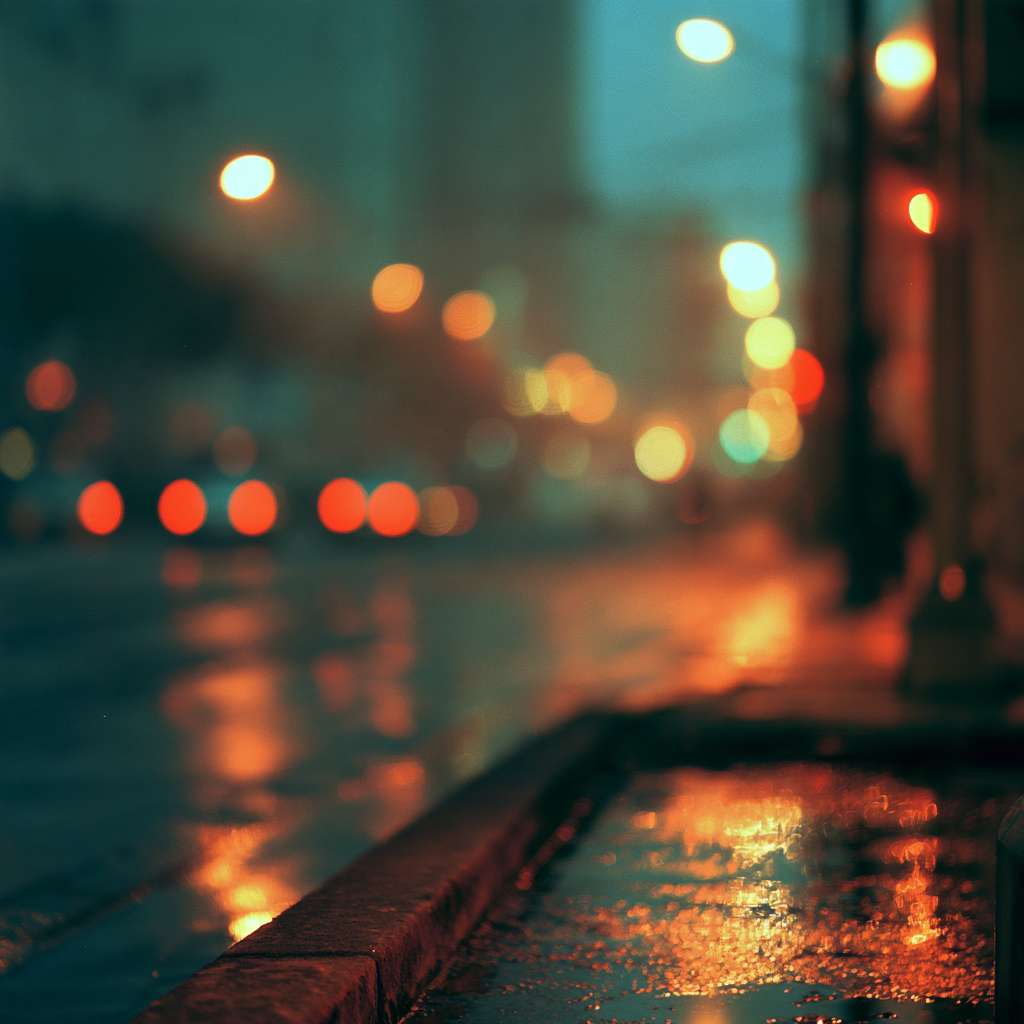
The prompt specifies the footage quality before it specifies the story — wet pavement reflecting neon and headlights, tired faces, worn makeup, cold air — and writes the dialogue in full, in French, with stage directions between lines.
Night exteriors are where bit depth shows. A 10-bit 4K render holds the highlight on a bar sign and the shadow under an awning in the same frame without banding. The grain in this clip is intentional; at 4K it stays grain instead of turning into compression blocks.
3. Coffee prep on a DV camcorder — macro texture
A 30-second ASMR vlog structured as ten beats of three seconds each: grind, tamp, lock the portafilter, pull the shot, froth the milk, pour, sip.
The prompt is organized into blocks — CAMERA / LOOK, STYLE, SUBJECT, SETTING, STORYBOARD, AUDIO NOTES, REALISM NOTES — and each storyboard line carries its own shot type and a line of dialogue.
Macro work is the most direct measure of resolution. Coffee grounds falling into a basket, steam off a wand, the surface of a crema: at 4K these are texture. At 1080p they are texture with the edges sanded off.
4. A 2000s flip-camera holiday — imperfection on purpose
A 30-second vacation vlog with timestamps, heavy shake, partial face crops, focus hunting and faded color.
The prompt opens with an identity lock on a reference image, then writes the clip as a timestamped shot list from 00:00 to 00:30, and finishes by restricting audio to natural ambience only.
This is the counterintuitive case. A 4K render does not make deliberately bad footage look better — it keeps the badness deliberate. Heavy grain and digital noise read as a chosen camera, not as the encoder running out of bits.
The prompt patterns behind these clips
The four examples differ in subject and format, but they share five structural habits. They matter more at 4K, not less: detail only appears where the prompt asked for it.
- Camera and look first. Every one of them opens by saying what is holding the camera and what kind of footage this is — handheld phone, mini DV, flip camera, one-handed iPhone. The model needs the frame's physics before it can fill it.
- Timed beats, not adjectives. Either timestamps (
00:00–00:04) or a storyboard of fixed-length shots. A 30-second clip with eight described beats holds together; a 30-second clip with one mood sentence drifts. - One identity anchor. When a person has to persist, one reference image is named explicitly and the prompt says what to keep — face, hair, skin tone, body proportions — and what to ignore.
- Sound written into the prompt. Grinder, steam wand, cup, crowd, French dialogue. Audio is generated in the same pass, so silence in the prompt becomes generic ambience in the output.
- An exclusion list. "No subtitles, no logos, no stabilization, no modern color grading." Negative constraints are how you keep a deliberate look from being corrected into a commercial one.
Generating at the highest quality on Kinovi today
Kinovi's seedance2-5 is the same model at a 1080p ceiling. A 4K request is rejected rather than silently downgraded:
{
  "model": "seedance2-5",
  "inputs": {
    "prompt": "Prompt goes here",
    "duration": 10,
    "outputResolution": "4k",
    "aspectRatio": "16:9"
  }
}
That returns 400 with Invalid inputs for model and an error pointing at outputResolution. Only 480p, 720p and 1080p are accepted.
Within that ceiling, five settings get you the closest thing to a 4K deliverable:
- 1080p, not a lower tier upscaled. Upscaling a 720p render to 4K adds file size, not detail. 1080p at a high bitrate is the honest maximum.
bitrate_mode: "high". The encoder is told to spend more bits on the same frame. On textured footage — faces, fabric, foliage — this is visible.output_format: "mov". A less-compressed container for anything heading into an edit or a grade.- Draft first. Render the shot at 480p, approve the blocking and timing, then upgrade the finished preview to 1080p. The upgrade reuses the preview's prompt, media, duration and framing; you do not resend them.
- Reference, don't upscale. If you need a specific face or product, pass it as a reference image. Resolution cannot recover an identity the prompt only described.
A full-quality request looks like this:
{
  "model": "seedance2-5",
  "inputs": {
    "prompt": "Handheld phone footage, one-handed, slight focus hunting. A young woman walks through a night market, neon reflecting on wet pavement, natural crowd ambience.",
    "duration": 10,
    "outputResolution": "1080p",
    "aspectRatio": "16:9",
    "bitrate_mode": "high",
    "output_format": "mov",
    "generate_audio": true
  }
}
What it costs on Kinovi
Billing is per second of output, by resolution. Reference images and audio do not change the rate; a reference video switches the task to the reference-video rate.
| 480p | 720p | 1080p | |
|---|---|---|---|
| per second | $0.1197 · 26 cr | $0.2717 · 59 cr | $0.6605 · 143.4 cr |
| per second, with reference video | $0.0737 · 16 cr | $0.1612 · 35 cr | $0.3947 · 85.68 cr |
A 5-second 720p clip is 295 credits, about $1.36. A 10-second 1080p clip at the standard rate is 1,434 credits, about $6.61. Draft mode is billed twice — once as a 480p preview, once as a 1080p master for the preview's duration — which is why it pays off from the second take onward, not the first.
What 4K does not fix
- No public access. As of November 13, 2026, the 4K tier has no published model ID, no API and no price. Trials are enterprise-only.
- No color metadata. ByteDance has not published primaries, transfer function or container details for the 10-bit output, so end-to-end 10-bit is unconfirmed outside its own pipeline.
- No independent benchmark. The quality claims — faces, fine detail, reference fidelity — are vendor claims and studio testimonials, not public test results.
- It does not replace direction. Resolution multiplies whatever the prompt described. A drifting identity drifts at 4K too, only more expensively.
- It is not an upscale. Rendering at 1080p and handing the file to a 4K upscaler produces a bigger file with softer edges, not a 4K render.
FAQ
Is Seedance 2.5 4K a different model from Seedance 2.5?
No. It is the same model at a higher render target with additional training. Duration, reference budget, audio behavior and access model are unchanged.
When was Seedance 2.5 4K released?
Announced June 23, 2026 at FORCE. The 4K tier itself opened to invited enterprise studios on October 23, 2026; BytePlus published its positioning article on October 27, 2026.
Does 4K change clip length or references?
No. 4–30 seconds in a single pass, and up to 50 multimodal references — 30 images, 10 videos, 10 audio clips.
Is a 1080p clip upscaled to 4K the same thing?
No. Upscaling interpolates; the 4K tier generates. Detail that was never in the 1080p frame cannot be recovered.
Why include vlog prompts in an article about resolution?
Because a vlog is the hardest test of resolution. Faces, skin, night light and macro texture are where 4K either shows up or does not — and those are exactly the elements a good prompt has to specify.
Sources and scope
Release dates, tier details and studio feedback follow ByteDance and BytePlus material: the Seedance 2.5 launch article (August 6, 2026), the Seedance 2.5 4K article (October 27, 2026), and Volcano Engine's October 23, 2026 trial announcement, checked November 13, 2026. Kinovi limits, model IDs and prices follow the Seedance 2.5 model documentation, checked the same day.
The four example clips were generated with Seedance 2.5 at up to 1080p. They illustrate the model's behavior, not the 4K tier's output. Prompts are quoted as their authors published them.
Related articles
More to try
Related models

ByteDance · video model
Seedance 2.5
Seedance 2.5 is ByteDance’s next-generation AI video model for up to 30-second generation, multimodal references, and precise local editing.
$0.1197/s
ByteDance · video model
Seedance 2.0
Next-generation AI video model by ByteDance. Combines Fast and Pro modes for high-quality video generation.
$0.0707/s
ByteDance · video model
Seedance 2.5 Flash
Seedance 2.5 Flash turns scene descriptions into videos, with prompts for the subject, action, camera movement, lighting, and mood. Add optional image, video, or audio references to guide the result, and create 4–30-second clips at native 480p or 720p with optional generated audio.
$0.0805/s